 Gentheme
iPhone & iPad
In the app · iPhone Duo
- Open an icon pack.
Install an icon pack on iPhone
Open an icon pack
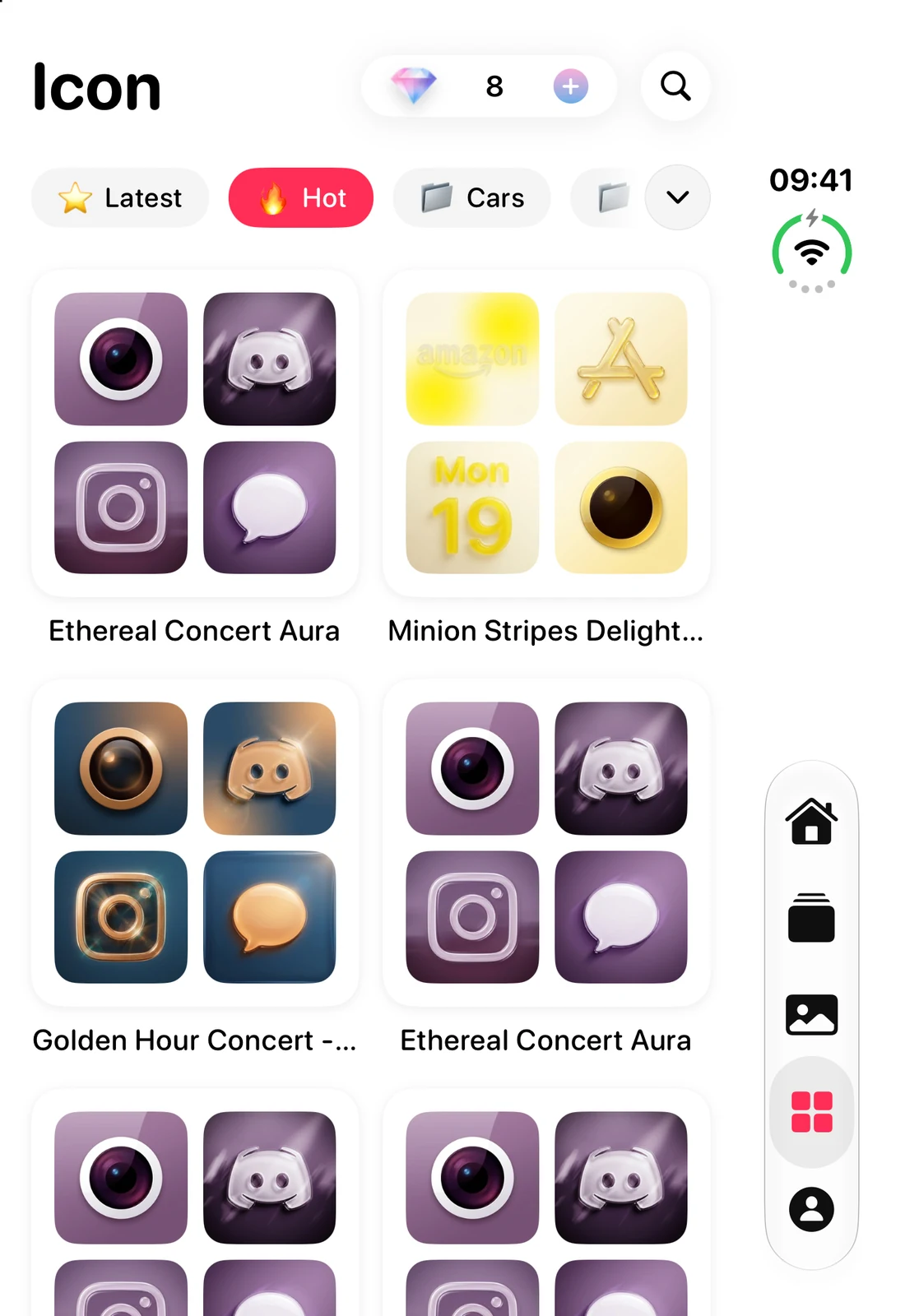
Open the app’s icon collection and choose the pack you want to install.
Start installing
Tap "Install Icons" and complete any unlock shown. Gentheme opens the installation page in its in-app Safari browser.
Download the profile
Tap "Download description file" on that page, then tap Allow when iOS asks to download the profile.
Open the downloaded profile
Open iPhone Settings > Profile Downloaded and tap Install. Enter your device passcode if requested.
Confirm the installation
Confirm Install to finish the profile setup, then check the added icons on your Home Screen.
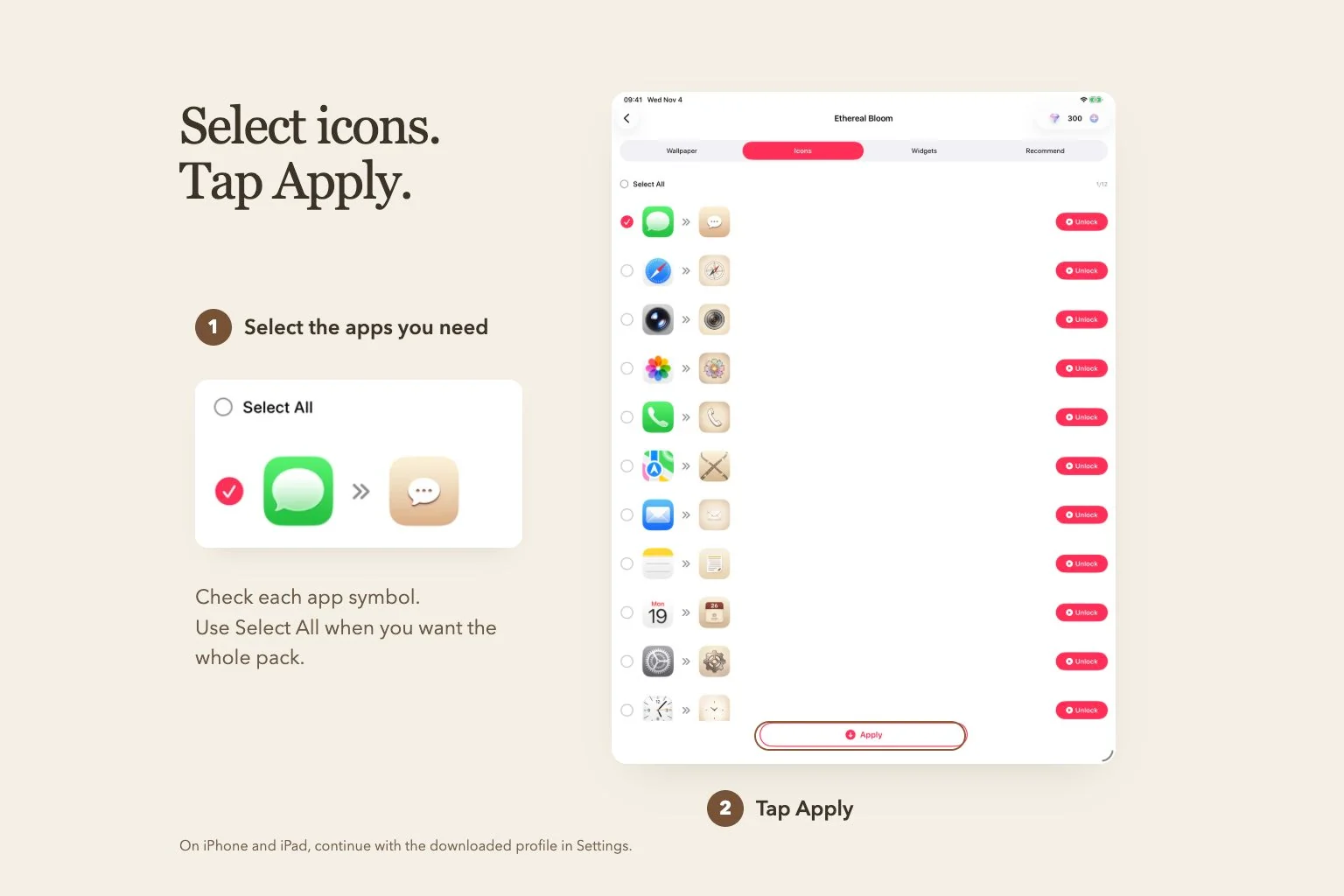
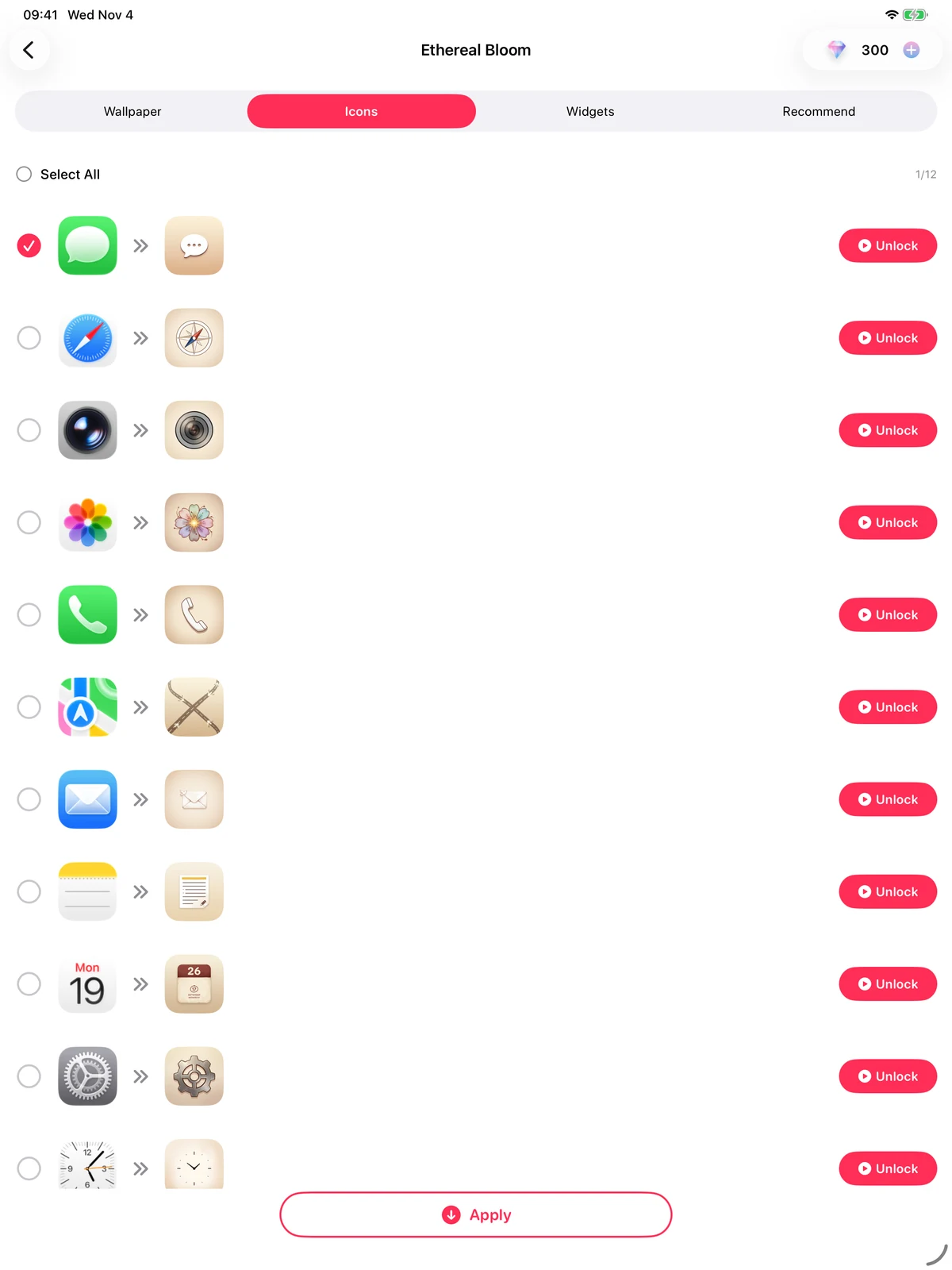
For a theme, open it from Home and tap the circular download arrow over the preview. In Icons, select the icons you want or use "Select All", then tap "Apply". Continue through the same profile download and installation steps. Installed icons are web clips.
Installing from a theme · iPad
- Select icons or use Select All.
- Tap Apply, then install the profile in Settings.
Android
Add app icons on Android
Open an icon pack
Open the Icon tab and choose a pack.
Choose the icons to add
Select individual icons or use "Select All" and "Deselect All" to adjust the selection.
Match each target app
Tap an app entry or its pencil icon, open "Choose target app" and select the installed app that icon should open.
Apply the selection
Tap "Apply" and complete any unlock shown.
Confirm each shortcut
Confirm each add-shortcut request from your home-screen app. After the requests finish, check the icons and open them to verify their targets.
Canceling a shortcut request stops the batch. Select the remaining icons and run "Apply" again. For a theme, open its circular download arrow from Home, choose Icons, select the icons and tap "Apply".
Need a hand?
What if some icons did not appear?
On iPhone, finish Settings > Profile Downloaded > Install. An uninstalled download expires after 8 minutes, so download it again from Gentheme if needed. On Android, select the remaining icons after a canceled batch, check targets and tap "Apply" again.
How do I remove the icons installed by an iPhone profile?
Open Settings > General > VPN & Device Management. Select the Gentheme icon profile you installed and remove it to remove its web clips from the Home Screen.

