Make room for your photos, your time, your day.
A favorite photo, the weather or a clock you can read at a glance. Discover widgets in Gentheme that add personal details and useful information to your home screen.


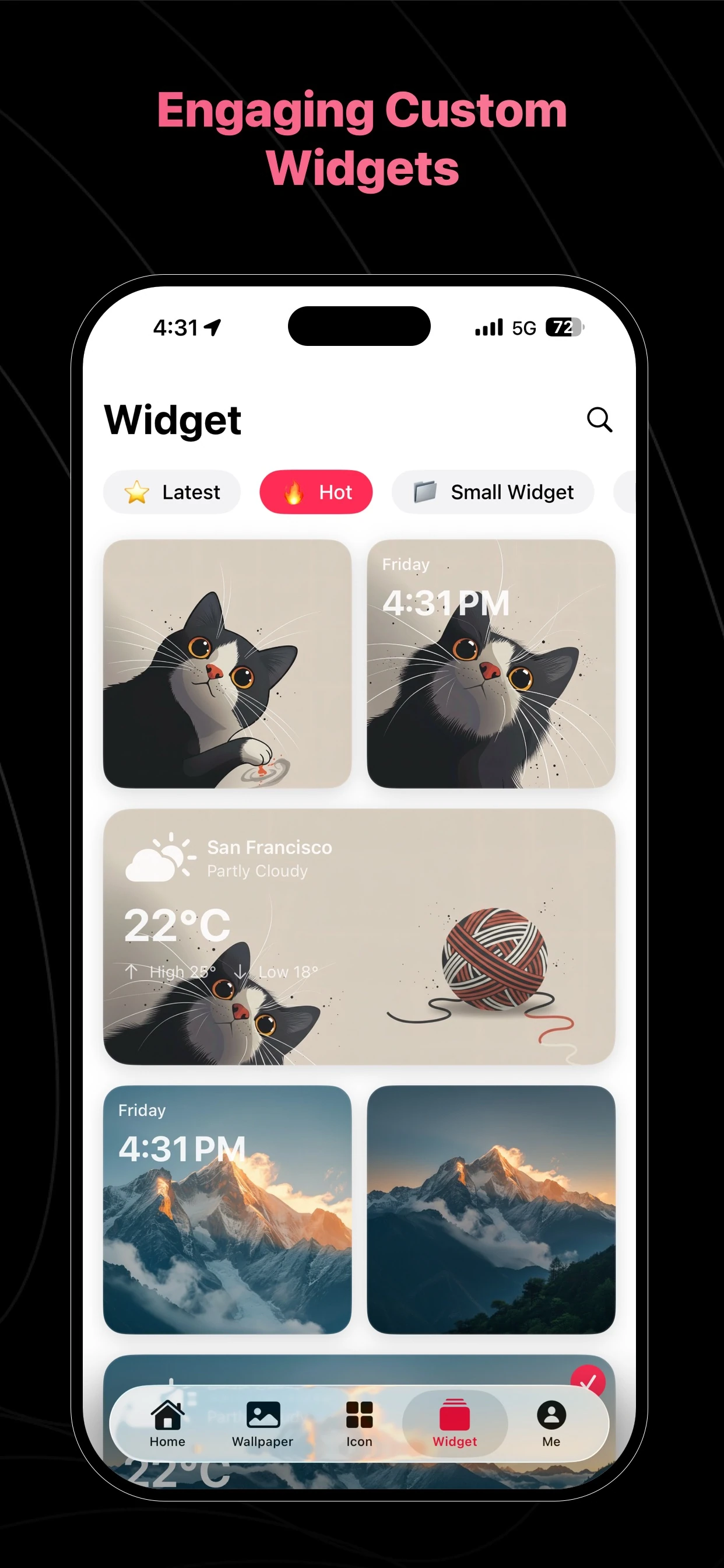
Keep a favorite moment close
Explore photo widget styles for an image you want to see throughout the day. Match its colors with your wallpaper, then choose a position that gives the photo room to stand out.
Bring time and weather into the layout
Look for clock and weather widgets that fit the way you use your phone. Balance useful information with the rest of your screen, keeping the designs clear enough to read at a glance.
Choose, configure and place
Download Gentheme and follow the widget’s setup guidance in the app. Available types, sizes, information and permissions vary by platform and device. Check the options shown on your phone before arranging the final layout.
A few useful answers
Which widgets can I find in Gentheme?
Gentheme features photo, weather and clock widgets. Open the app to see which designs, sizes and configuration options are currently available for your phone and operating system.
Will widgets look and behave the same on every phone?
Widget support and placement depend on your operating system and device. Follow the instructions in the app and review any requested permissions when configuring the widget you want to use.

Get Gentheme
Themes, wallpapers, widgets & icons