Gentheme
Start with the route through the landscape
A Jumanji: Open World-inspired wallpaper can begin with the feeling of stepping into a larger adventure. Pick a path, a river or an opening in the canopy as the main guide through the image. One clear destination helps the picture stay understandable when the phone shows only a narrow slice.
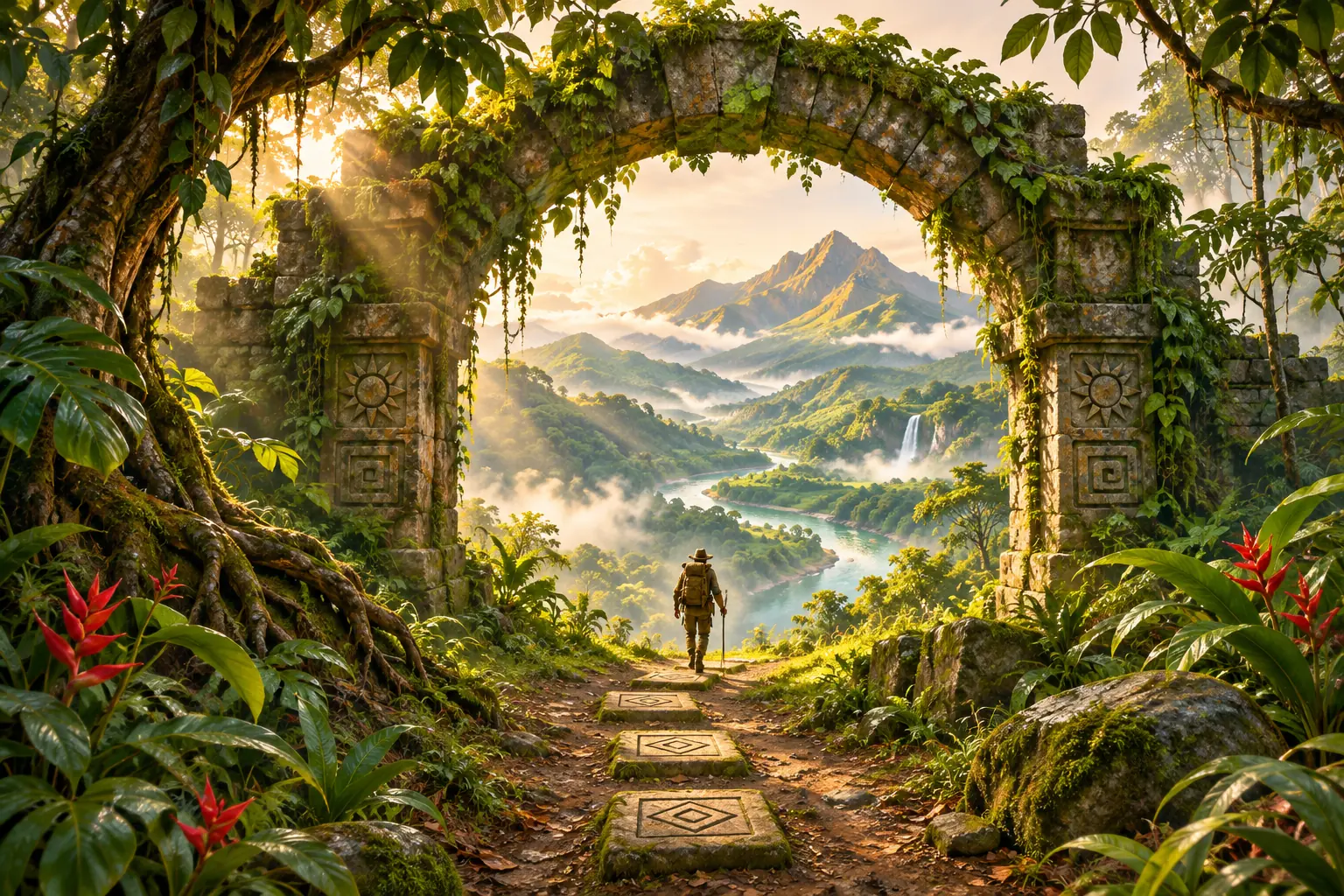
The original jungle concept here places a small explorer near a mossy arch, with light and a river drawing the eye toward distant mountains. Its setting is imagined for the composition. Large leaves frame the edges while the center remains open enough to compare a clock and other screen elements.
Keep the arch and the ground connected
Preview a tall frame and check the arch’s upper curve, both supporting sides and the route below. Cutting off every supporting edge can turn a gateway into a confusing strip of stone. Keep enough structure to explain what the explorer is approaching and where the path continues.
Look at the small stepping stones before zooming. A few repeated shapes can establish rhythm, while many tiny carvings become visual noise behind labels. If a narrow crop loses the river bend or mountain, compare a different frame that keeps one distant destination rather than every decorative detail.
Use the green palette in layers
Choose a dark forest green for depth, a middle leaf tone and a small amount of warm cream light. These layers can separate the foreground from the view beyond the arch. Inspect the image at small size to see whether the explorer remains distinct from the surrounding foliage.
For the app page, try a simpler companion with a broad muted-green area and one leaf at an edge. Repeat the warm light in readable icon symbols or a widget surface. Dense vines may suit the full scene, but an actual app grid needs fewer competing lines behind its smallest labels.
Check the adventure scene at everyday scale
Compare the full image and the planned crop without changing both at once. Follow the path, locate the explorer and look through the arch. Decide which part creates the sense of an open world, then preserve that relationship even if some decorative leaves disappear outside the frame.
Preview the clock, notifications and a normal app page before choosing the final composition. A wider display may reveal more canopy while reducing the visible ground, so check another frame if needed. Keep the source artwork available and assess the route, depth and readability together.