Gentheme
Choose scale before detail
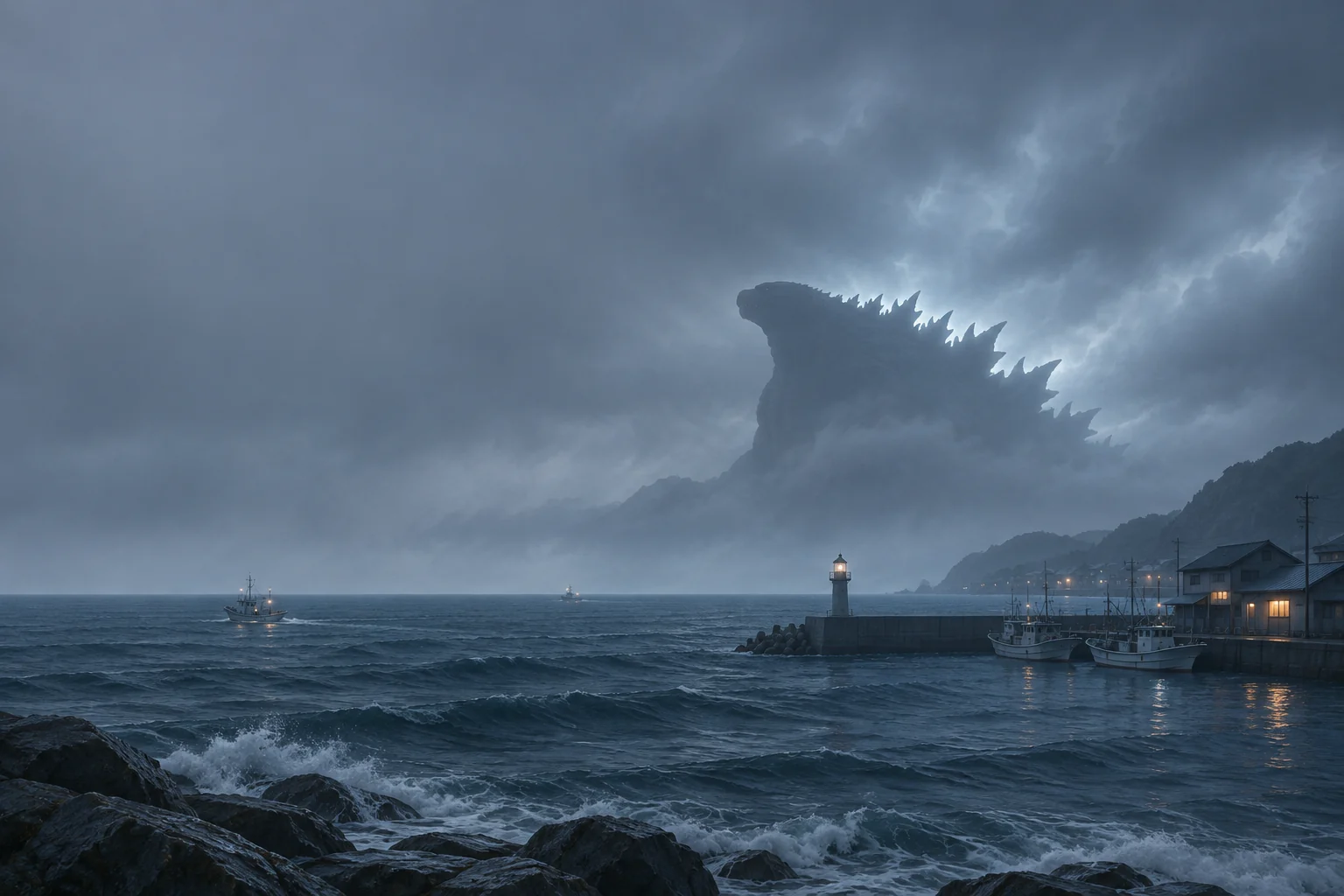
A Godzilla Minus Zero-inspired wallpaper can focus on the relationship between an immense creature and a small coastline. Choose whether the ocean, a harbor or the outline should lead the image. A distant viewpoint can leave more useful empty space than a close composition filled with scales and buildings.
The original fan-style example places a jagged silhouette beyond a misty harbor. Tiny boats and low structures give a sense of size. The scene is an imagined composition, so choose it for its arrangement of shapes and light rather than treating it as a frame from the film.
Protect the profile in the portrait frame
In a tall crop, check the head, the strongest dorsal outline and the horizon together. A narrow frame can remove the spines that separate the silhouette from an ordinary mountain shape. Start with enough background around the creature and move the frame before increasing the zoom.
Look at the gray values as well as the blue palette. Mist can soften the boundary until the head disappears at normal viewing distance. Keep a little separation between the creature and the sky, then compare the largest outline with the much smaller harbor forms at the bottom.
Place the clock in steady mist
A broad misty sky offers a place to test the time, while waves and rooflines bring many small edges. Try the clock away from the brightest gap in the clouds and away from the creature’s face. Review the numbers as a group, then inspect the narrowest strokes.
For a Home Screen companion, use a calmer slate-blue field with one low band of water. Repeat a pale gray accent in icon symbols or a widget boundary. Keep those symbols distinct, since a page of dark tiles on a similarly dark sea can lose its everyday app hierarchy.
Review the image at the size it will occupy
Compare the whole source image with the crop you plan to use. Check whether a boat, lighthouse or piece of shoreline still explains the monster’s scale. Keep a copy of the original composition so later changes can begin with the full scene and its available detail.
Preview the clock and notifications, then inspect the app page from your normal distance. On a wider screen, check that extra harbor detail does not make the silhouette feel too small. Choose the frame that preserves the intended tension between open water, a tiny coast and the huge outline.