Gentheme
Begin with the cat and the city
Disney’s official Gatto page introduces Nero in Venice and, as checked on November 10, 2026, lists a US theatrical release on March 5, 2027. Those two elements give a wallpaper concept a clear starting point. Decide how much of the image should belong to the cat and how much to the surrounding city.
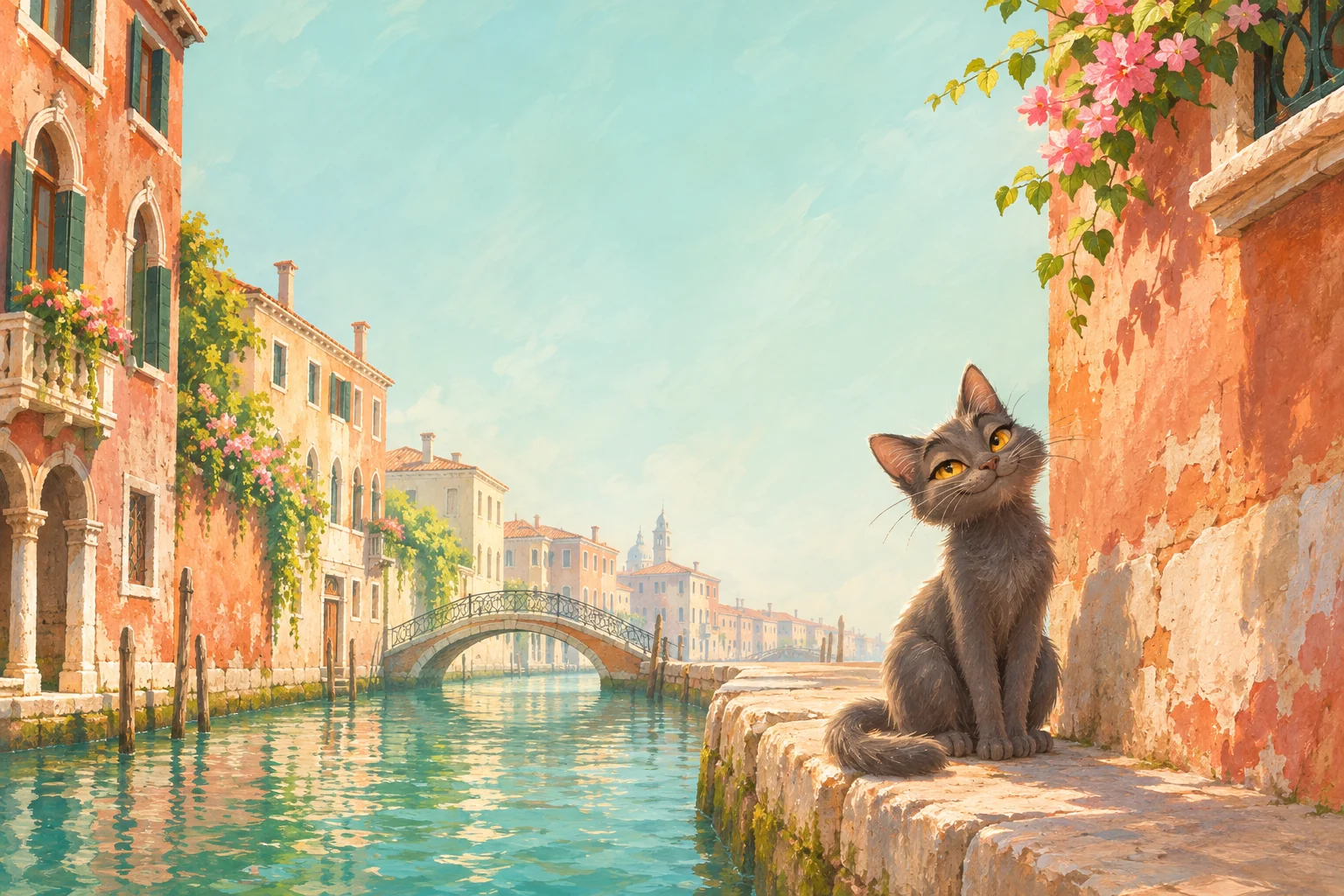
The original illustration here explores that balance with a charcoal-gray cat beside a canal, warm walls and teal reflections. Start with a complete, readable animal silhouette. A small figure can bring personality to a broad architectural scene when its eyes and direction of attention remain visible.
Use a canal curve to lead the eye
A curve in the water can connect the foreground ledge with a distant bridge. Keep a useful part of that route inside a portrait crop so the cat still belongs to a larger place. One bridge or opening is often enough to explain the scene’s depth.
Check the cat’s ears, whiskers and tail separately near the edges. A close crop can hide the little details that make its posture expressive. If you enlarge the cat, review the remaining canal too and keep enough water or stonework to make its position understandable.
Choose warm walls or cooler reflections as the base
Terracotta and pale cream walls can create a warm frame, while quieter teal water offers a cooler companion. Choose the area that suits the amount of information on your screen. Fine window frames and reflected ripples may become busy behind a row of small app names.
Try letting the Lock Screen carry the cat and broader city scene. A simpler color study can repeat the water or sunlit wall on a fuller Home Screen. Keep the palette connected without requiring every screen to show the same amount of architectural detail.
Review the small expressions at real phone size
Inspect the picture at the distance you normally hold the phone. The cat’s expression, one route through the city and the clock should all be easy to find. Move the crop gently if an ear sits under a system control or a bright reflection merges with white lettering.
Keep the full original artwork if you want a wider version for another screen shape. A horizontal view can reveal more canal and wall while the portrait view favors the cat. Use the official film page below for the teaser and release updates as you choose your own Venice-and-cat interpretation.