Gentheme
Choose the holiday-night palette you want to explore
As checked on November 10, 2026, Universal’s official movie page lists a US theatrical release for Violent Night 2 on December 4, 2026. A festive-night wallpaper can take inspiration from the title through a restrained red, amber and deep-blue palette. Decide which color should act as the focal point before building the rest of the scene.
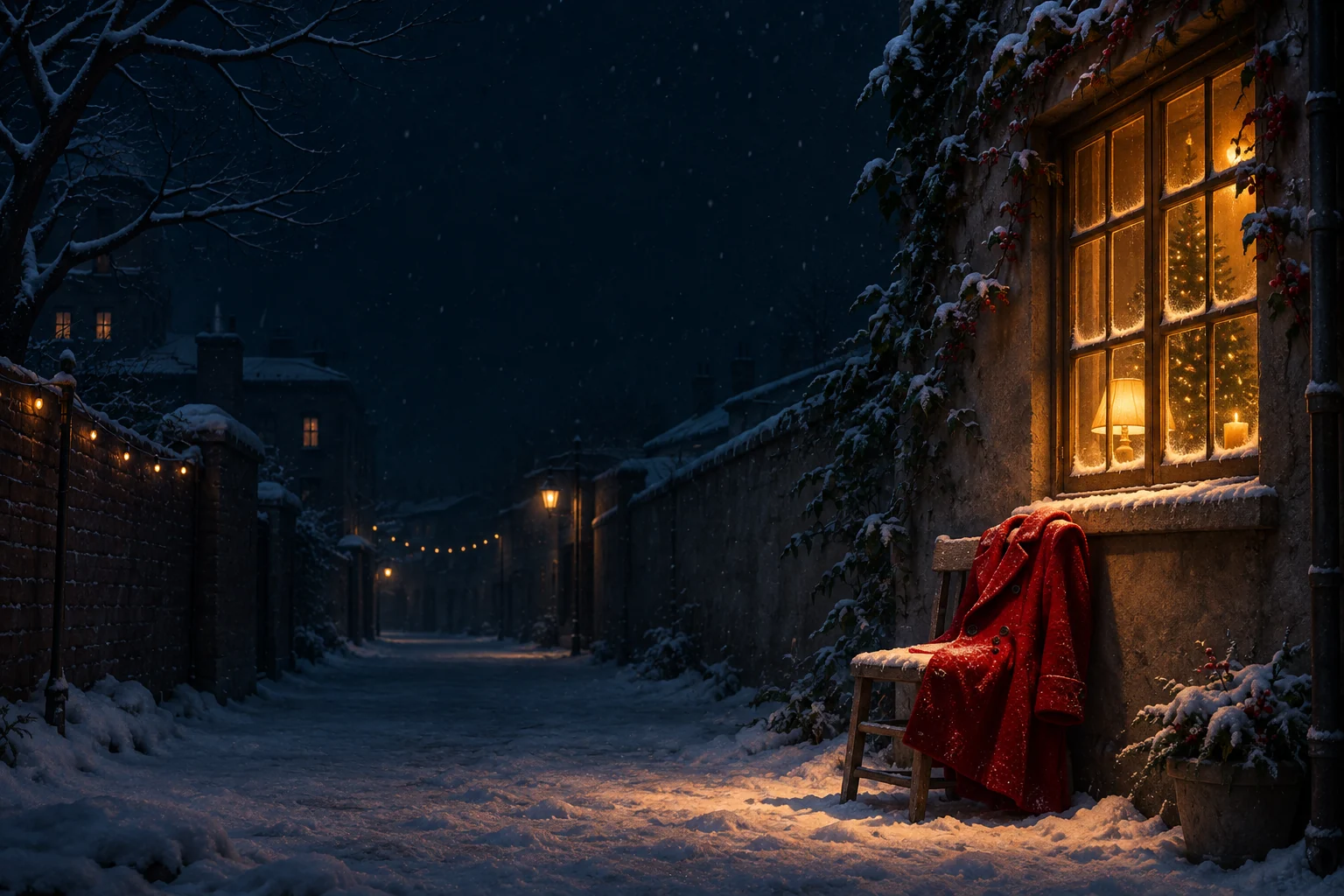
The original composition study here uses a red coat beneath a glowing window on a snowy street. Its focus is atmosphere and color. A quiet setting lets a small red object feel deliberate, while the dark sky provides room for the information you normally read on your phone.
Place the warm window with the clock visible
A bright window can become the first thing you notice in a dark picture. Keep it beside or below the main time in a personal preview. If several bright panes cross the clock area, try a crop that leaves the upper sky more even.
Inspect the red coat separately from the amber window. The two warm colors should remain distinguishable at normal viewing size. A little darker space between them can preserve their shapes, while a soft reflection on the snow connects them without adding another large light source.
Keep snow detail away from small labels
Fine snow can turn into many bright points on a small screen. Check the areas behind app names and small widget text. A quieter navy patch may give those details a more stable background while the lower part of the image retains the snowy-night texture.
For a coordinated Home Screen, try the same dark blue with one small red accent near an edge. Keep your familiar icon arrangement visible when reviewing it. A background can carry a strong mood even when much of its decorative detail is reserved for the Lock Screen.
Review the balance in the light you normally use
Look at the scene in your usual evening lighting and at your normal phone brightness. Check whether the dark street still has enough visible shape around the coat and whether the warm window dominates every other detail. Adjust the crop before increasing contrast across the whole image.
Finish with the clock, red accent and a clear route through the scene visible together. Keep the full original artwork for another screen proportion or a quieter companion. For the official trailer and any changes to the announced release, use the linked film site while developing your own festive-night visual direction.