Gentheme
Use the announced film as a starting point
As checked on November 10, 2026, Netflix’s official update schedules Narnia: The Magician’s Nephew for theaters on February 12, 2027 and Netflix on April 2. For a wallpaper concept, the title invites a sense of discovery and the meeting of familiar nature with an extraordinary world.
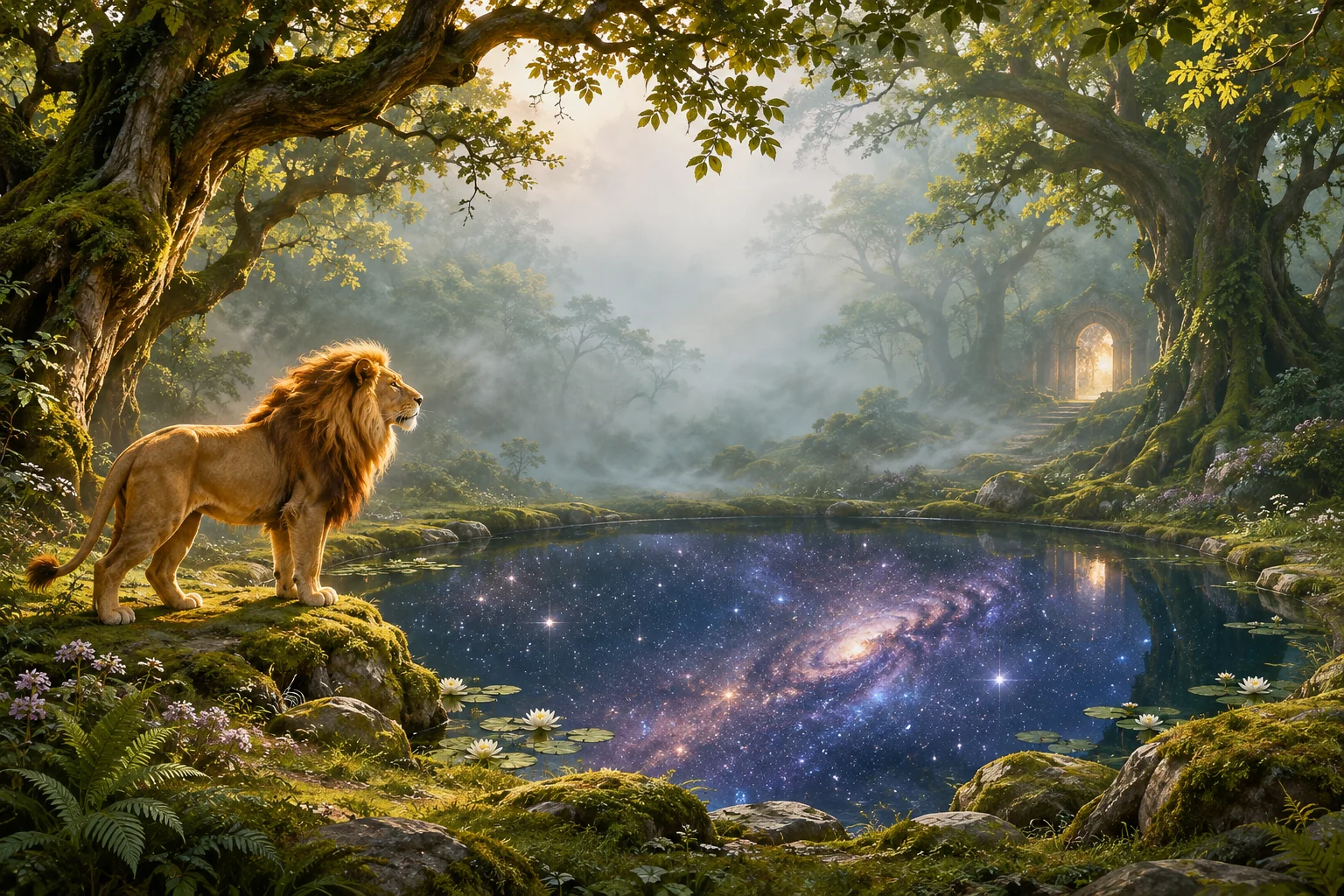
The original literary-fantasy illustration here explores a lion beside a woodland pool that reflects a cosmos. Choose which relationship you want to emphasize. A lion portrait creates a different frame from a small full-body silhouette surrounded by trees, water and mist.
Keep the animal and its surroundings readable
If the lion is central to the composition, leave space around the mane, ears and paws. Its direction of gaze can lead toward an open part of the scene. A little visible ground helps explain where the animal stands instead of letting its lower outline merge into the edge.
In a tall crop, try keeping the lion and one reflection detail inside the frame together. A wide woodland scene may depend on trees at both sides, so check the central slice before enlarging it. Preserve the feature that makes the setting feel like a connected place.
Control the brightest opening or reflection
A warm opening between trees can guide the eye, but it may also compete with the time. Check its position beside the clock and date in a personal preview. A softer patch of mist can provide a calmer text area while leaving the deeper forest visible around it.
Reflected stars add another layer of detail to the pool. Keep the most brilliant points away from small app names if the image will sit on the Home Screen. A simpler companion can retain the forest green and warm gold without repeating every star and leaf.
Let different screen shapes reveal different parts
Compare a portrait composition that favors the lion with a landscape view that gives the pool more space. Each should have a complete main subject. The goal is to preserve a sense of wonder while making the image understandable at the actual size of your screen.
Finish by checking the clock, the animal outline and the edge of the pool from your normal viewing distance. Keep the full original artwork for future reframing. Use the linked official Narnia announcement for the trailer, release updates and film information as you develop your own visual interpretation.